Telecalling CRM Software That Automatically Tracks Every Call
Manage your sales calls, leads and follow-ups in one place. Diallogs automatically tracks business calls from your team's Android phones and connects call activity with lead management and team performance. No manual logging, no VoIP complexity, and no lost follow-ups.
- ✓Automatic SIM-based call tracking
- ✓Lead management & scheduled follow-ups
- ✓Telecaller performance monitoring
- ✓Sales analytics & call recording support*

30-Day Free Trial | No Credit Card Required | 4.6★ on Google Play
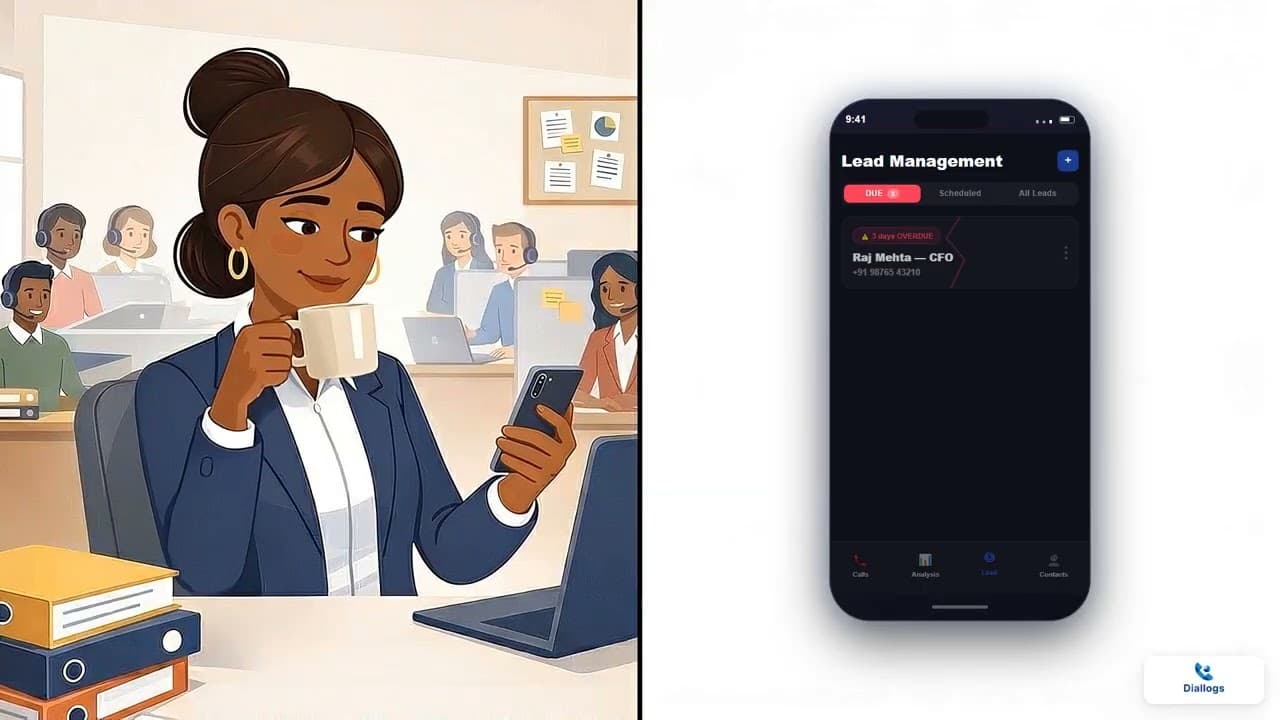
Product Tour
See Diallogs Telecalling CRM in Action
What is a telecalling CRM?
A telecalling CRM is software designed specifically for businesses whose sales or outreach teams communicate with prospects primarily through phone calls. Traditional CRMs treat phone calls as an afterthought — expecting sales reps to open a deal record, type in notes, and manually enter call duration after every conversation.
In practice, manual reporting breaks down quickly. Reps skip logging short calls, forget details by the end of the day, and let follow-ups slip through the cracks.
Diallogs connects telecalling activity from Android phones using existing SIM cards with structured CRM workflows — giving sales managers clear visibility into calling activity without disrupting how reps actually make calls.
Core Telecalling Workflows
Automatic Calls
Incoming, outgoing, and missed calls logged from device SIM.
Centralized Leads
Custom pipelines, form fields, and seamless duplicate-free import.
Scheduled Follow-Ups
Callback reminders and daily task agenda so warm leads stay active.
Team Monitoring
Talk time duration, total dials, and response time oversight.
Sales Analytics
Exportable CSV reports and automated webhook payloads.
Why telecalling teams need a dedicated CRM
Standard CRMs and spreadsheets were never designed for high-volume calling workflows. Here is what changes with a purpose-built telecalling CRM.
Automatic Call Tracking
Every call made, received, or missed on the Android phone is logged automatically. No rep data entry required.
Centralized Lead Management
Store contact details, custom fields, and stage progression. Assign leads to reps and reassign pipelines when staff changes.
Scheduled Follow-Ups
Set callback dates and times after every conversation. Telecallers get a clear daily agenda so warm leads never go cold.
Telecaller Performance Monitoring
Track total dials, connected calls, talk time, and response times across individual reps and teams.
Call History & Notes
Every interaction stays attached to the lead record. Anyone taking over a lead can see the full communication timeline.
Sales Analytics & Export
Analyze conversion rates, peak calling hours, and team productivity. Export filtered data to CSV or push via webhooks.
Automatic call tracking from Android phones
Calls are captured by the act of calling, not by an act of manual data entry.
- 01
Reps dial normally
Reps make calls using the native Android dialler, their contacts list, or from inside Diallogs. No special dialling behaviour required.
- 02
The call is captured automatically
Diallogs reads the call duration, timestamp, direction (incoming, outgoing, missed), and phone number directly from the device.
- 03
Offline storage with reliable sync
When a rep is in a basement, elevator, or area with poor connectivity, call data is stored safely on the handset and syncs to the manager dashboard once reconnected.
Accurate, offline-safe tracking: Diallogs automatically captures incoming, outgoing, and missed calls. When the device is offline, call data remains stored locally on the Android phone and syncs to the dashboard as soon as connectivity is available.
Manage leads alongside every sales call
Stop juggling spreadsheets and call logs that never reconcile.
When telecalling teams manage leads in a spreadsheet and make calls on mobile phones, lead status and actual calling activity constantly drift apart. Sales reps spend hours copying phone numbers, updating status cells, and searching through old notes.
Diallogs connects lead management directly with call logs:
- Custom Lead Pipelines: Create stages that match your sales cycle (e.g., New, Contacted, Interested, Follow-Up, Closed).
- Custom Form Builder: Add text, numbers, dates, dropdowns, and checkboxes to capture industry-specific qualification details.
- Bulk Lead Import & Assignment: Upload lead lists via CSV with duplicate detection and distribute them fairly across your telecalling team.
- Pipeline Protection: When a telecaller leaves, reassign their entire lead portfolio with complete call history in a single click.
Learn more about pipeline workflows on our dedicated Lead Management CRM page.
Never lose track of sales follow-ups
Consistent follow-ups are critical to keeping sales opportunities moving.
One-Click Scheduling
Set the next follow-up date and time immediately after ending a call, while the conversation is still fresh.
Daily Task Queue
Telecallers start their day with a prioritized list of scheduled callbacks, sorted by due time.
Manager Oversight
Managers can see overdue and upcoming follow-ups across the entire floor, ensuring no prospect is abandoned.
Monitor telecaller team performance
Monitor telecaller activity and review call volumes, talk time, follow-ups and lead progress from the manager dashboard.
Sales managers frequently rely on telecallers to self-report their daily calls. Self-reported activity can be incomplete or inconsistent, making it difficult for managers to understand actual calling activity.
Diallogs provides a management dashboard with objective metrics:
- Total Call Volume: Total dials, connected calls, and incoming vs. outgoing ratio.
- Talk Time Analytics: Exact talk duration per rep and team averages.
- Activity Timelines: Hourly calling distribution to identify peak productivity and idle periods.
- Follow-Up Adherence: Percentage of scheduled callbacks completed on time.
Explore detailed manager controls on our Call Monitoring Software page.
A telecalling CRM that works with your existing SIM numbers
Why Diallogs uses SIM-based calling for field and telecalling sales teams.
Most call center software forces businesses to adopt VoIP (Voice over IP) systems. While VoIP works for desk-bound support centers, it creates significant friction for sales teams:
- VoIP requires consistent high-speed broadband; fluctuating data causes jitter and dropped calls.
- Some businesses may prefer using their existing mobile numbers when contacting customers.
- VoIP solutions may involve separate software subscriptions, calling charges, or infrastructure costs depending on the provider.
Diallogs is built around SIM-based calling. Your team uses their existing Android smartphones and mobile SIM cards. Calling runs over the carrier cellular network, uses existing calling packs, and displays familiar mobile numbers that prospects recognize.
Read our full architectural breakdown on the SIM-Based CRM guide.
Call recording and conversation history
Audit call quality, train new hires, and maintain compliance.
Diallogs supports optional call recording storage at ₹125 per GB per license. Recorded conversations attach directly to the lead timeline, enabling managers to review sales pitches, identify objection-handling gaps, and train new telecallers faster.
Important Hardware Note: Call recording capabilities vary across Android device manufacturers and OS versions due to manufacturer-specific restrictions. We recommend testing your team's specific handsets during the 30-day free trial to verify audio clarity before rolling out recording across your floor.
Everything your telecalling team needs
Built specifically for outbound calling, lead qualification, and sales tracking.
Automatic Call Logging
Incoming, outgoing, and missed calls captured from Android call logs.
Custom Lead Pipelines
Define custom deal stages and custom fields tailored to your business.
Scheduled Follow-Ups
Set callback reminders and work through a daily task agenda.
Manager Dashboard
Live visibility into team dials, talk time, and lead progress.
WhatsApp Follow-Up Quick Action
Trigger follow-up WhatsApp messages with pre-saved templates after calls.
Meta Lead Ads Integration
Connect Facebook and Instagram lead forms directly into your CRM pipeline.
CSV Import & Export
Upload lead sheets with duplicate checks and export filtered reports.
Webhooks & Partner API
EnterprisePush call records and lead updates to your warehouse or existing backend.
Call Recording Add-On
Secure cloud audio storage attached to lead timelines.
How Diallogs telecalling CRM works
Get your entire sales team up and running in four simple steps.
- 01
Install Diallogs on Android
Download the Diallogs app from Google Play Store on your team's smartphones. Sign in with your team credentials.
- 02
Connect your calling activity
Diallogs automatically reads supported incoming, outgoing, and missed calls from the device SIM cards.
- 03
Manage leads & follow-ups
Reps tag calls, add qualification notes, and schedule follow-ups directly from the mobile app or web portal.
- 04
Monitor team performance
Managers log into the web dashboard to review live call volumes, talk time, and lead progression.
Who uses Diallogs telecalling CRM?
Tailored for high-velocity sales and telecalling teams across industries.
Real Estate Sales
Track site visit follow-ups, capture buyer budget preferences, and monitor broker calling activity.
Insurance Agencies
Manage policy renewals, quote follow-ups, and customer verification calls without losing records.
Loans & Financial Services
Coordinate document collection, verify loan applicants, and manage debt recovery telecalling queues.
EdTech & Admissions
Call course applicants immediately after form submission and track counselling stages through enrollment.
Field Sales Teams
Keep remote and on-ground sales reps connected with central lead pipelines using mobile SIM tracking.
B2B Inside Sales
Log outbound prospect dials, qualify decision-makers, and maintain complete interaction history.
Telecalling CRM vs. Traditional CRM
Why general-purpose CRMs fail on the calling floor.
| Feature | Traditional CRM | Diallogs Telecalling CRM |
|---|---|---|
| Call Tracking | Manual data entry by rep | Automatic from Android SIM |
| Hardware Support | Desktop browser / VoIP app | Native Android smartphone |
| Offline Support | Requires active internet | Logs offline, syncs when connected |
| Follow-Up Queues | Generic calendar tasks | Call-centric callback agenda |
| Telecaller Oversight | Self-reported estimates | Verified dials, talk time & timestamps |
| Setup Complexity | Weeks of onboarding | Install the app and configure team access |
| Cost Structure | High per-user software fees | Starts at ₹125/user/month |
SIM-Based CRM vs. Cloud VoIP CRM
A factual comparison of calling infrastructure.
| Parameter | Cloud VoIP CRM | Diallogs (SIM-Based) |
|---|---|---|
| Call Quality | Depends on WiFi/4G data bandwidth | Carrier cellular network |
| Caller ID | Virtual numbers / VoIP trunks | Team's verified mobile SIM numbers |
| Call Costs | Software seat fee + per-minute rates | Uses existing mobile prepaid/postpaid SIMs |
| Hardware Needed | Headsets, VoIP diallers, PCs | Standard Android smartphones |
| Field Mobility | Limited to stable internet | Works anywhere with mobile signal |
Simple, transparent pricing
Get started with full telecalling CRM capabilities. Upgrade or add storage as your team grows.
All paid plans include a 30-day free trial with no credit card required. Yearly billing saves 7%. Call recording storage is available as an add-on at ₹125/GB per license.
Frequently asked questions about telecalling CRM
What is a telecalling CRM?
A telecalling CRM is software built specifically for sales and support teams that communicate with prospects primarily through phone calls. It combines lead management, automatic call logging, scheduled follow-ups, and rep performance tracking in one system so conversations and pipeline stages stay aligned.
How is a telecalling CRM different from a regular CRM?
A regular CRM focuses on contact storage and deals, relying on sales reps to manually type in notes after every call. A telecalling CRM connects directly to the phone and automatically captures call records — duration, timestamp, direction, and outcome — attaching them to the lead without manual data entry.
Can Diallogs track incoming, outgoing, and missed calls?
Yes. Diallogs captures incoming, outgoing, and missed calls directly from the Android device. Whether a rep dials from inside the app, from the phone's native dialler, or from their contacts, the call activity is captured.
Does Diallogs work with SIM-based calling or does it require VoIP?
Diallogs is built specifically for SIM-based calling on Android phones. It works with your team's existing mobile SIM cards and phone numbers without requiring internet-dependent VoIP lines, virtual numbers, or PBX hardware.
Does Diallogs work when reps have no internet connection?
Yes. Because calls go over the standard cellular network, reps can make and receive calls without internet. Diallogs stores the call log securely on the device while offline and automatically syncs the data to the central dashboard as soon as connectivity is restored.
Can managers monitor telecaller team activity?
Yes. The manager dashboard provides visibility into total calls, connected calls, talk time, missed follow-ups, and lead status progression for individual telecallers as well as the entire team.
Does Diallogs support call recording?
Call recording is available as an optional add-on at ₹125 per GB per license. Because call recording depends on Android hardware and OS permissions, teams should test their specific handsets to verify recording clarity before relying on it across the team.
Can I schedule and track sales follow-ups?
Yes. Telecallers can schedule follow-up dates and times after any call. Pending follow-ups appear in a daily task queue, and managers can track follow-up completion rates to prevent leads from going cold.
How much does Diallogs telecalling CRM cost?
Diallogs starts at ₹125 per license per month for call tracking and monitoring. Full lead management is ₹250 per license per month. All paid plans include a 30-day free trial with no credit card required.
Is Diallogs available on Android?
Yes. Diallogs is an Android application available on the Google Play Store, designed to work smoothly on standard Android smartphones used by sales and telecalling teams.
Explore more resources
- Call tracking CRM with automatic call logging→
- Lead management CRM for sales teams→
- How SIM-based call management works→
- Call monitoring software for sales managers→
- Telecalling CRM pricing and plans→
- Complete list of Diallogs features→
- Best telecalling CRM software guide→
- Why telecallers resist traditional CRMs→
Ready to simplify your telecalling workflow?
Track calls, manage leads and keep your sales team organized with Diallogs. Start your 30-day free trial today with no credit card required.